CutNow is a powerful Android video editor app inspired by modern editors like CapCut and InShot. Create professional videos with trimming, filters, text, stickers, music, transitions, and high-quality export support — all inside a smooth…
CutNow is a powerful Android video editor app inspired by modern editors like CapCut and InShot. Create professional videos with trimming, filters, text, stickers, music, transitions, and high-quality export support — all inside a smooth and modern UI.
Cutnow is a modern, high-performance Android video editor built with Kotlin and the latest Android technologies. Designed for developers and content creators, it delivers a smooth multi-layer editing experience with real-time preview rendering, cinematic effects, advanced text editing, and ultra-fast export performance.
Built for scalability and customization, Cutnow features a clean architecture, modern Material Design 3 UI, AdMob integration, and powerful editing tools ready for production apps.
Perfect for creating short videos, reels, cinematic edits, social media content, and professional mobile editing applications.
Main Features
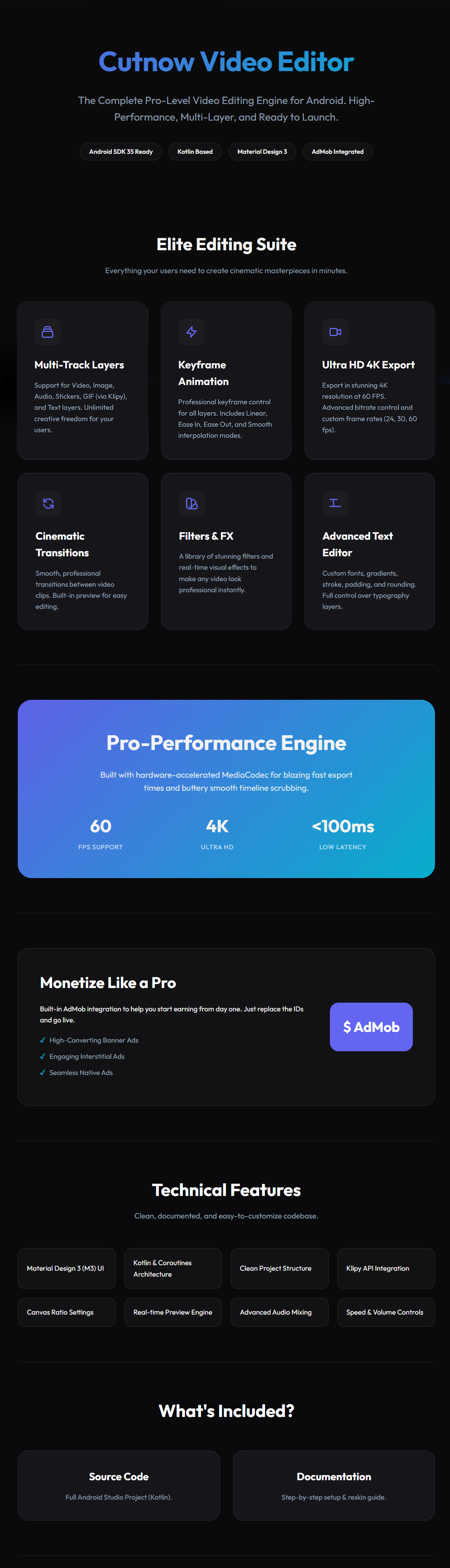
Multi-Track Timeline Editing
Support for Video, Audio, Images, Text, Stickers, and GIF layers
Flexible drag-and-edit workflow
Professional multi-layer editing system
Keyframe Animation System
Smooth keyframe-based animations
Linear, Ease In, Ease Out, and custom interpolations
Advanced motion control for layers
Ultra HD Export
High-quality 4K video export
24 / 30 / 60 FPS support
Optimized rendering performance
Real-Time Preview Engine
Smooth timeline scrubbing
Low-latency preview playback
Hardware-accelerated processing
Advanced Text Editor
Custom fonts support
Gradient text colors
Stroke, shadow, padding, and background controls
Professional typography editing
Filters & Visual Effects
Cinematic filters
Real-time FX rendering
Stylish transitions and overlays
Audio Editing
Multi-track audio support
Volume & speed controls
Background music support
Audio mixing features
Modern UI/UX
Material Design 3 interface
Smooth animations
Dark professional editor layout
Mobile-optimized experience
Monetization Ready
AdMob integrated
Banner Ads support
Interstitial Ads support
Native Ads support
Technical Features & Compatibility
Minimum OS: Android 7.0 (API Level 24)
Target SDK: Android SDK 35 ready
Kotlin & Coroutines architecture
Clean and organized codebase
Real-time rendering engine
Canvas ratio settings
Klipy API Integration: Seamlessly allows users to search and add GIFs and stickers directly into their videos. (Note: Buyers will need to create a free Klipy account to obtain their own API key for full functionality).
Easy customization
Included in Package
Full Android Studio source code
Complete documentation
Setup & reskin guide
Ideal For
Video editor startups
Reel maker apps
Short video platforms
Social media editing apps
Developers looking for a professional editing engine